Panel Archiv

TC Electronics M350 Effects Processor Panel


ReMS2000 – Korg MS2000 Editor
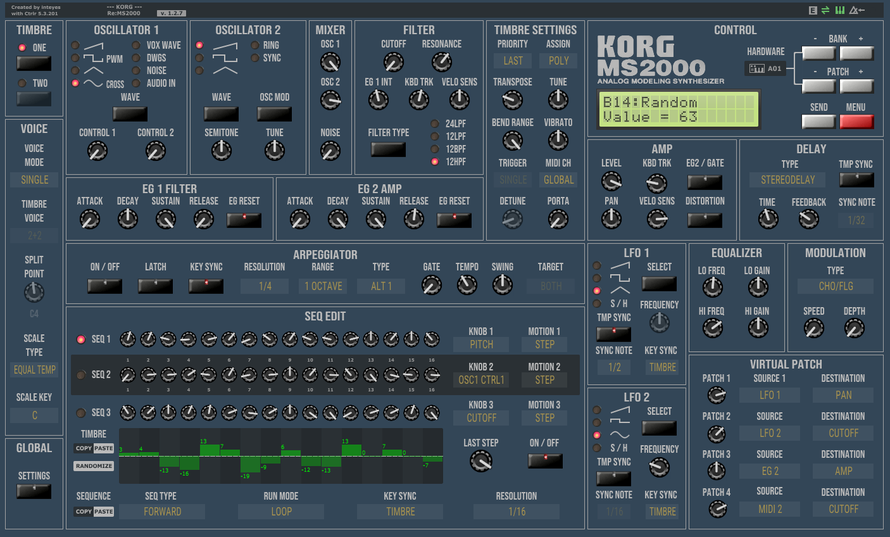
ReMS2000 is a Korg MS2000 editor and librarian panel that allows you to control almost every parameter from within your DAW.
Panel features:

Nord Drum 3P and Nord Drum 2 Editor VST and Standalone
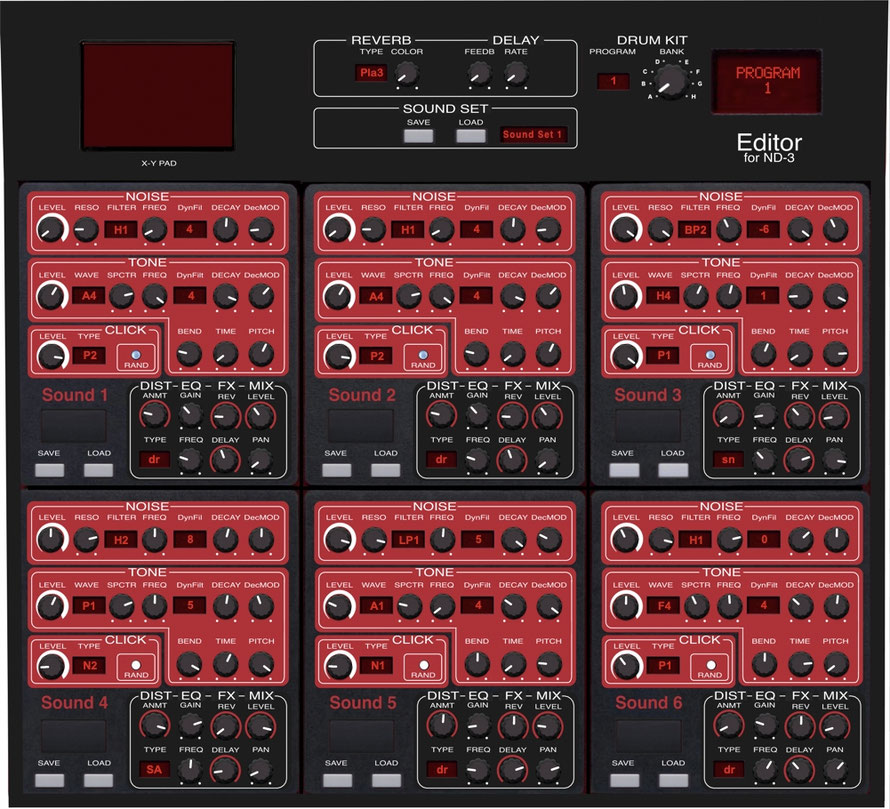
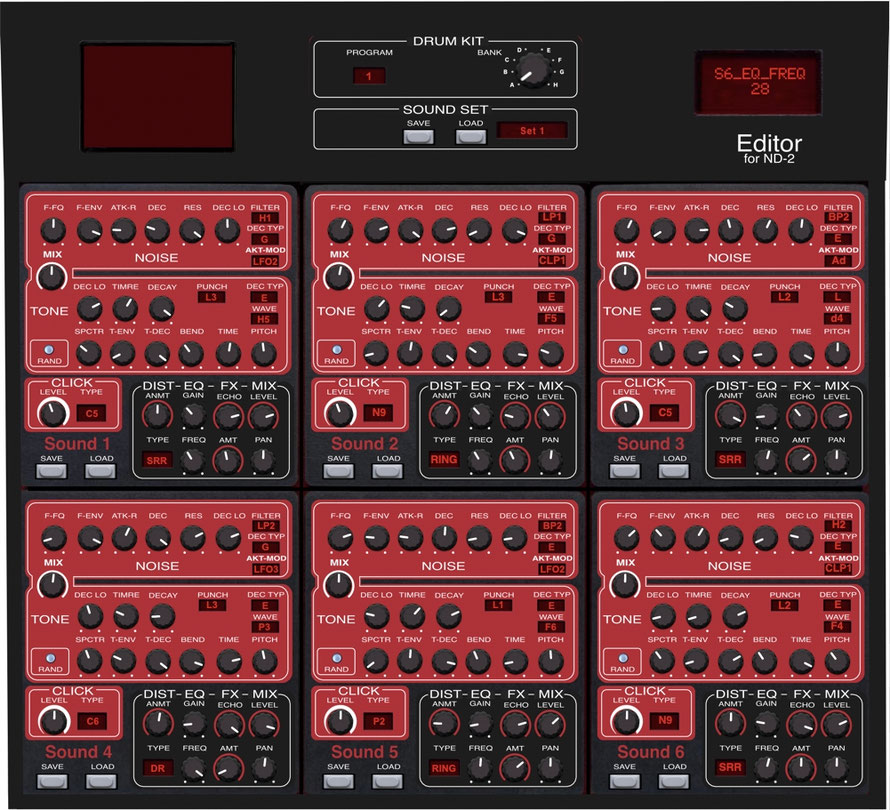
Here are my Midi Editors for the Nord Drum Synthesizers.
One version for the old Nord Drum 2 and one version for the current Nord Drum 3P.
With the Nord Drum Editor you have direct access to all parameters and can save them as a Sound Data File and load them back into the Nord Drum at any time.
In the PlugIn VST Version you can record the controller movements and how to integrate the Nord Drum Synth into your DAW Project.
Editor Features:
-You can use your Nord Drum as a sound module in the DAW!
– Complex sound changes can be made easily and quickly.
– Direct access to the sound parameters
– All controllers can be automated.
– X-Y modulation of all parameters
– The Editor settings can be stored in a Sound Bank and loaded again.
– With the „Random“ function new sounds can be generated quickly for each drum part.
Which you can save and load into any drum part.
– Drum Kits can be put together and saved.
The editor is available for PC as VST / Standalone 32/64 bit and for MAC as VST / AU / Standalone 64 bit and MAC-M1.

Yamaha Digital Reverberator REV500
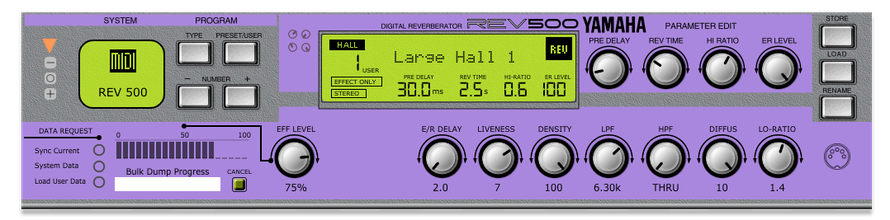
* Access most hidden controls.
* Save your changes to disk.
* Load patch from file.
* Note that this program does not upload sysex patches to the
REV500.
* All save operations must be executed on the REV500 unit
itself.

Novation Peak and Summit Editor VST and Standalone
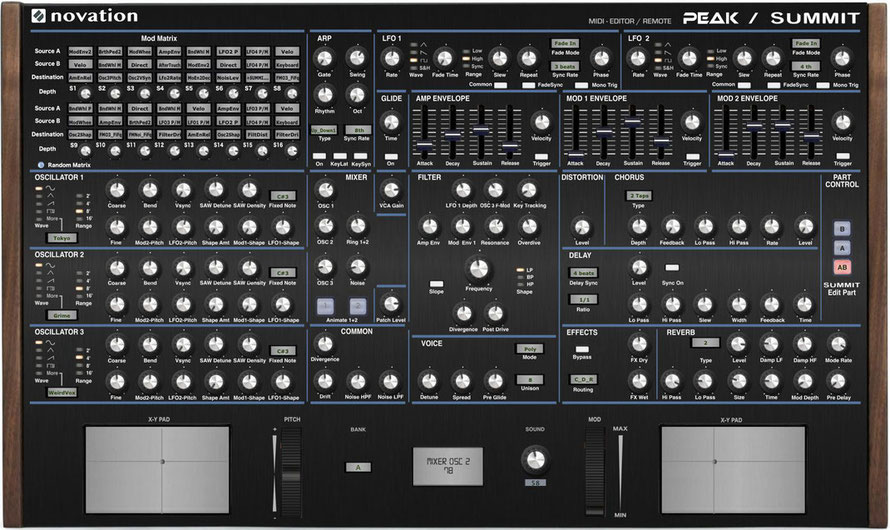
The „Peak Summit Editor / Controller„ is an VST and Standalone controller for the Novation Synthesizer “Peak” and “Summit“
– It is perfect to integrate the “Peak” and “Summit“ into your DAW.
– It makes the sound design easier, because you have direct access to the
parameters.
– The “Peak” and “Summit“ Parameters can be automated and they can be stored
with your DAW Project.
– You can safe your new sound on the “Peak” and “Summit“ and the editor settings
as VST Presets (..fxp) in the DAW.
– With the X-Y-Pads, all Parameter can be selected and controlled.
– At the “Summit”, Part A , B and AB can be edited separately.
– Direct access to the mod matrix allows you to keep track of the sound
modulation.
– With the “Matrix Random function” of the Editor you can easily create new sound
creations.
– It is possible as VST and Standalone for PC 32/64Bit and Mac 64Bit as VST, AU
and Standalone.
The editor is compatible with the firmware version 1.3 “Peak” and 1.1 “Summit” (with User Wavetable).

JV-1010 Editor
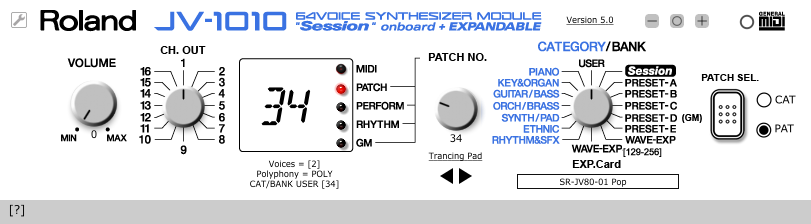
How to run this program.

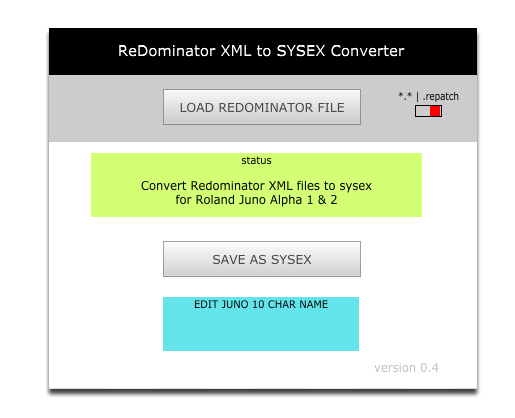
ReDominator XML Converter

Juno Alpha Editor
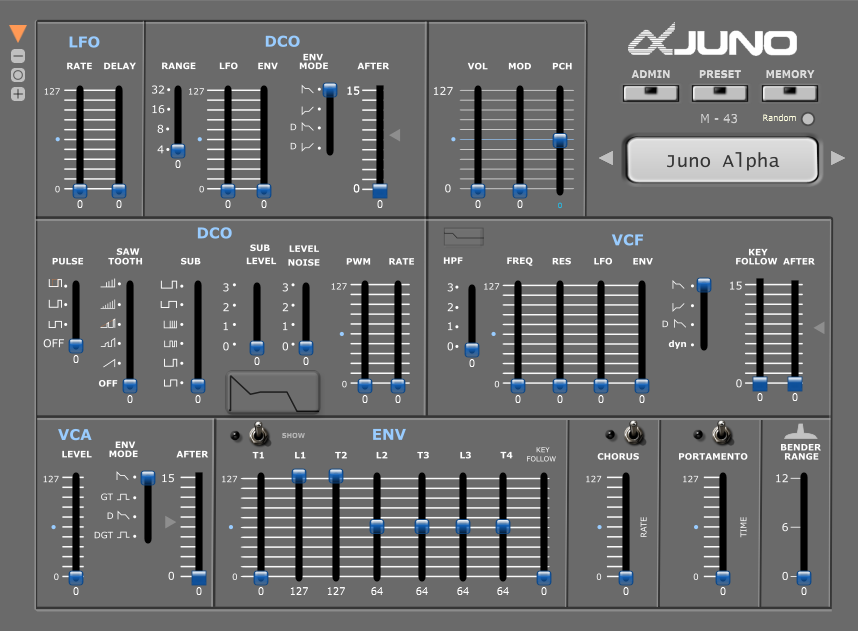
JUNO ALPHA Editor
FEATURES
- Download BULK DUMP from Juno to panel.
- Upload BULK DUMP to Juno.
- Save BULK DUMP to disk from panel.
- Load BULK DUMP sysex files from Disk to panel.
- Load/save single patch files and send to Juno
- cc ⇒ SYSEX mapping (Use MIDI controller to change values on panel/JUNO)‡
- VST indexing for automation of most JUNO parameters including MODULATION and PITCH BENDER
- Visual representation of EG Envelope.
- Change basic panel button colours, background etc.

Radio Button Code Generator
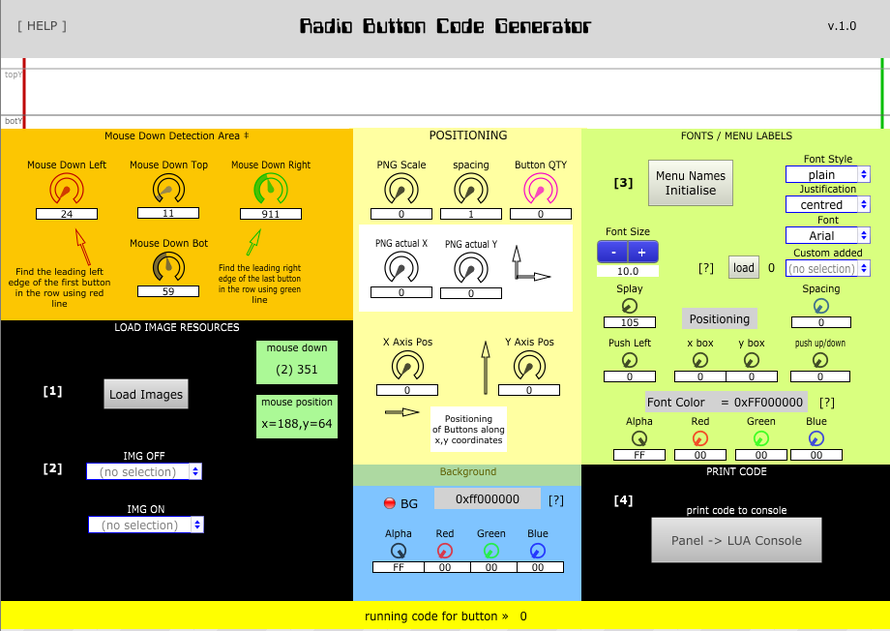
This panel is for developers wishing to add radio buttons using png images to a panel.
uiComponent and mouse detection functions are generated to console for cutting and pasting into a project.
First initialise images (and text) Click on areas [1] [2] [3]
Images must be loaded as resources.
 If you use custom fonts, another user may not have the same fonts on their system.
        On Windows 10 any fonts installed in c:WINDOWSFonts should load, but custom fonts seem not to.
        You can include the font as a resource in a panel you release, but I am not sure if that works on
        every platform.
(1) First import image/font resources into this panel.
(2) Import one image for 'off state' and a separate image for 'on state' with same dimensions.
(3) Generate code by clicking on "print code to console"
(Open the `console` window first and clear any previous messages)
In your panel:
(A) Create a  uiComponent** add a function with any name to 'Paint callback' field e.g.myPaintCallback"
(B) Create a mouseDown function in the uiComponent** in  'Mouse down callback'
(C) Create a mouseMove function in the uiComponent** in  'Mouse move callback'
(D) In 'Resources' add 2 png images of the same size, one for "off state" and one for "on state"
        *Load the exact same images (and custom fonts) used in this program.

Zoom RFX-2000 Editor
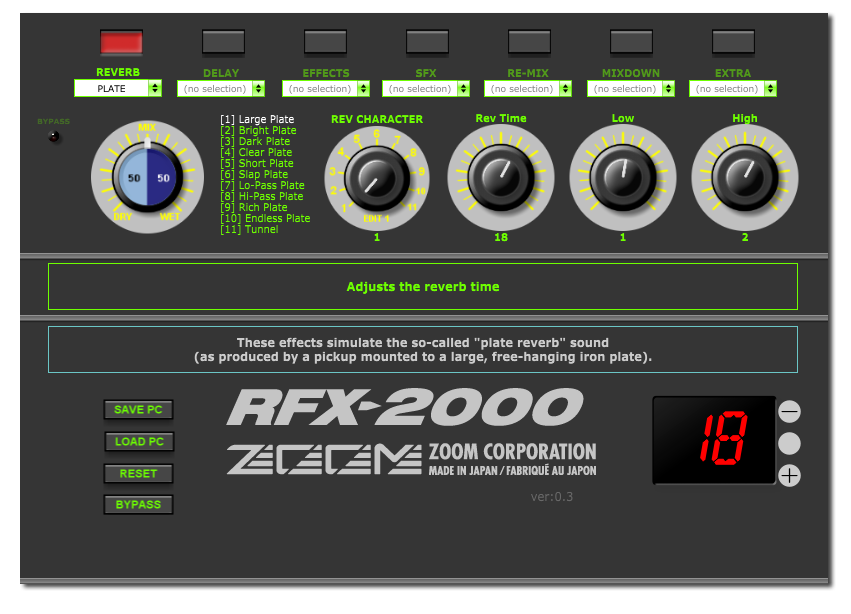
Editor for Zoom RFX-2000 multi effects rack unit. Includes full access to the hidden “EXTRA” effects inaccessible through the unit interface. †
Changes to parameters can be saved to disk and reimported to panel.
Changes to parameters are saved in memory on reload.

Roland GP-8 guitar effects processor panel
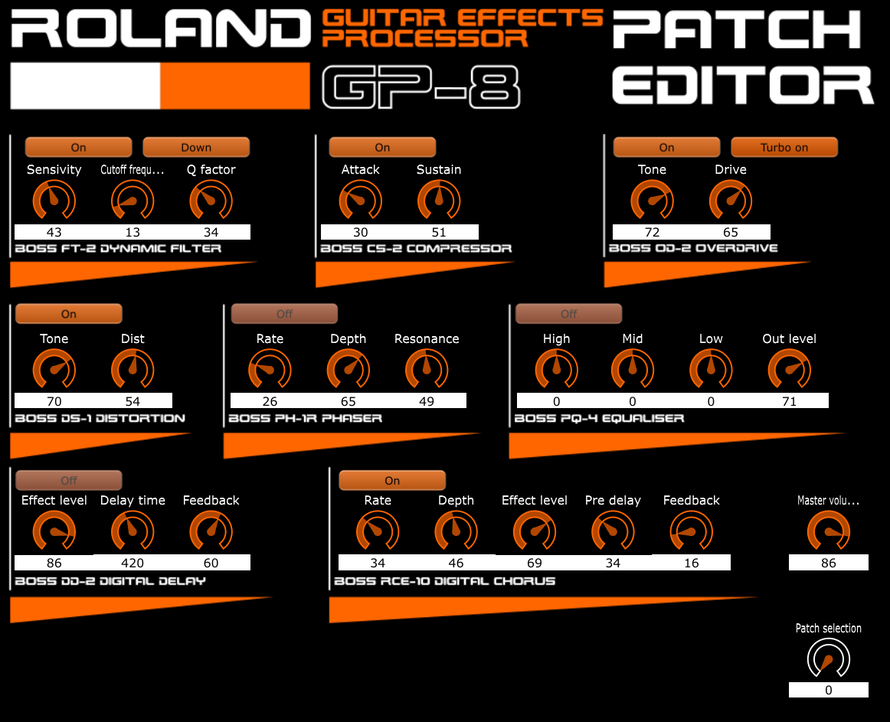
Here is my first panel, to edit the effects from a Roland GP-8 guitar effects processor.
It cannot load any parameter values from the GP-8, it can only set parameter values.

ARTURIA MICROFREAK EDITOR AND SOUND GENERATOR , VST AND STANDALONE
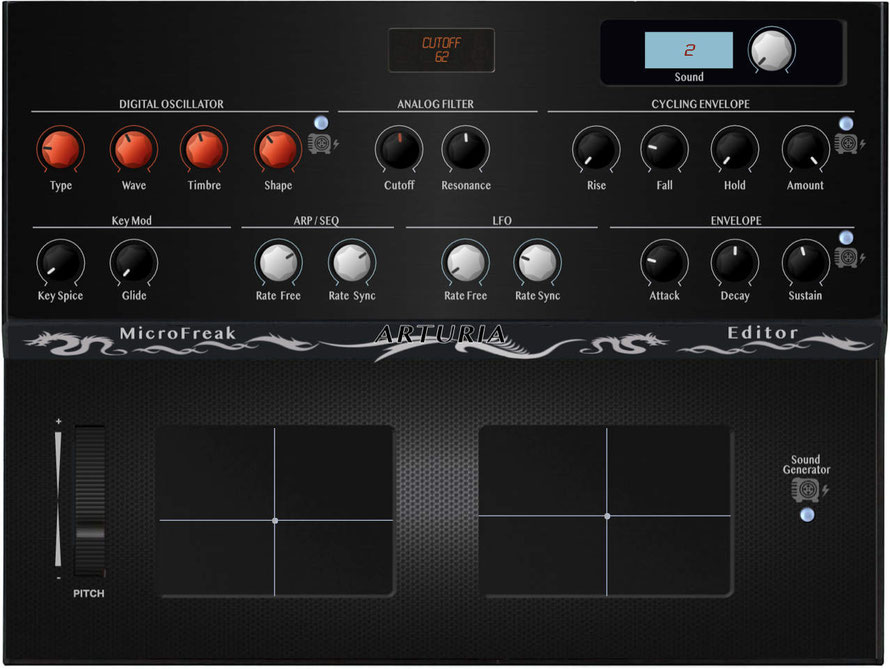
Here is my Arturia MicroFreak Editor and Sound Generator for the Arturia MicroFreak Synthesizer.
With the MicroFreak Editor and Sound Generator you have direct access to the parameters and you can generate new sound with 4 random methods
So you can get to know the great sound potential of the MicroFreak.
In the PlugIn VST Version you can record the controller movements and how to integrate the Arturia MicroFreak Synth into your DAW Project.
Editor Features:
– Complex sound changes
– Direct access to the sound parameters
– All controllers can be automated.
– X-Y modulation of all parameters
– With the „Random“ function new sounds can be generated quickly.
The editor is available for PC as VST / Standalone 32/64 bit and for MAC as VST / AU / Standalone 64 bit.

Generic Sysex Dump Recorder
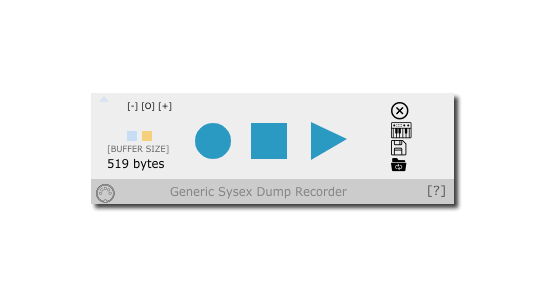
Generic Sysex Dump Recorder
Record incoming Sysex messages, bulk dumps etc from MIDI device.
Should work on any MIDI device.
This panel can re-send Sysex back to MIDI device and save sysex to file and load sysex from file to be resent back to MIDI device.
You can also insert a custom dump request command.
Sysex dumps are retained in memory across sessions.
Custom editing of sysex message possible.

Lexicon PCM70 Editor
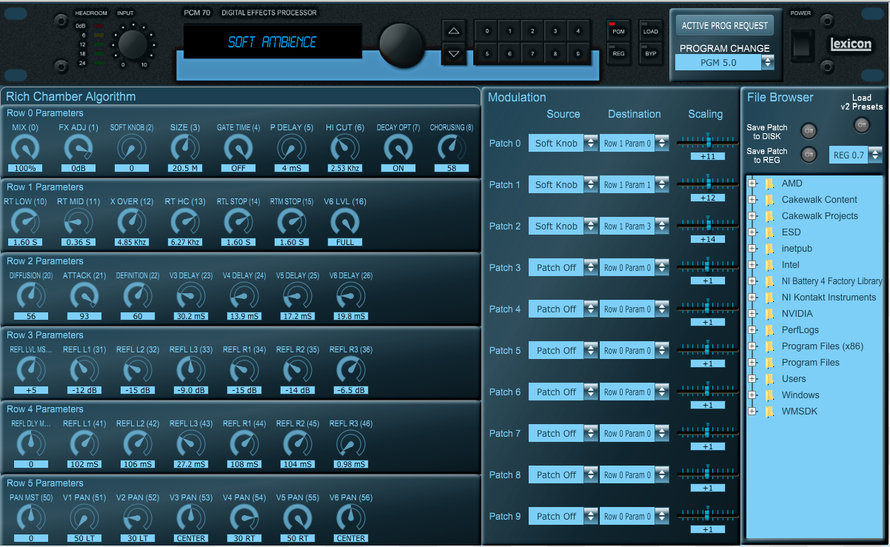
Lexicon PCM70 Editor & Librarian, currently at v1.3
This Editor / Librarian has been built & tested on a PCM70 running on Firmware 3.01
Features:
- Edit all Parameters in Real Time
- Edit all Patches / Modulation
- Save your Patches to Disk, then Load them again later
- Write the v2 Presets to the REG Memories of your v3 PCM70 for the best of both worlds
Download Windows .exe: https://1drv.ms/u/s!Apb6P_37oe5eh_lpeeomqyuHJk8KSg?e=zoV7Gq
Download Mac .app: https://1drv.ms/u/s!Apb6P_37oe5eh_l7nhzQJkNdg8d-WA?e=mfMHgb
